Blackboard
- 3.3
- Rating
- 10.00M
- Installs
- Free
- Price

 Analysis by App-foxy
Blackboard is the kind of education app I appreciate most when I treat it as a dependable campus companion rather than a complete replacement for a learning platform. In my experience, its value comes from putting course information, announcements, deadlines, and study activity closer to hand, especially when I am moving between classes or checking what needs attention before starting an assignment. It is free, aimed at Everyone, and developed by Anthology Inc., which makes it easy to try if your school already uses Blackboard.
My overall view is positive but qualified: Blackboard is most useful when your institution has configured it well and your instructors actively use it. The app cannot make a disorganized course organized, and it cannot turn a phone into an ideal environment for writing a long paper. What it can do is reduce the small delays that often cause students to miss a notice, overlook a due date, or arrive at class without the right material.
How Blackboard fits into everyday study
The first thing I noticed is that this is not really a general study app. It is tied to the learning environment created by a school, college, or training provider. That distinction matters. Unlike a flashcard tool or a note-taking app, Blackboard does not begin with a blank workspace where I design my own system. Its usefulness depends on the courses connected to my account and on how consistently those courses are maintained.
You May Also Like

 Pandora - Music & Podcasts
Pandora’s Music Is Easy to Start, but Harder to Recover
Pandora’s strength is its low-effort path from a seed to a station. Its weak spot is how much confidence it asks you to place in connection, setup, and quiet recovery.

 8 Ball Pool
 Is Built on Rivalries, Rematches, and Routine
A close look at the rivalries, rematches, shared routines, and unanswered safety questions that turn a quick pool match into a persistent mobile community.

 Samsung Music
’s Quiet Strength Is Playing What You Already Own
Its reach comes less from spectacle than from dependable access to a personal library. That simplicity is both the app’s strongest retention engine and its ceiling.

 AccuWeather: Weather Radar
AccuWeather Review: A Quick, Clear Forecast for Everyday Decisions
For everyday plans, the best forecast is the one you can understand quickly. AccuWeather makes rain timing, radar, and local conditions easy to act on, with a few trade-offs.

 Hill Climb Racing
Why Hill Climb Racing Still Turns Crashes Into One More Run
A tiny car, a bumpy hill and one more upgrade: Hill Climb Racing keeps resurfacing because its simple chaos makes every near-miss feel personal.

 AliExpress - Shopping App
AliExpress Makes Global Shopping Feel Personal, but Shoppers Bear the Risk
AliExpress turns a global marketplace into a pocket-sized discovery engine. Its reach is useful, its shopping loop compelling, and its trade-offs easy to miss.
More From Our News Desk
View All News


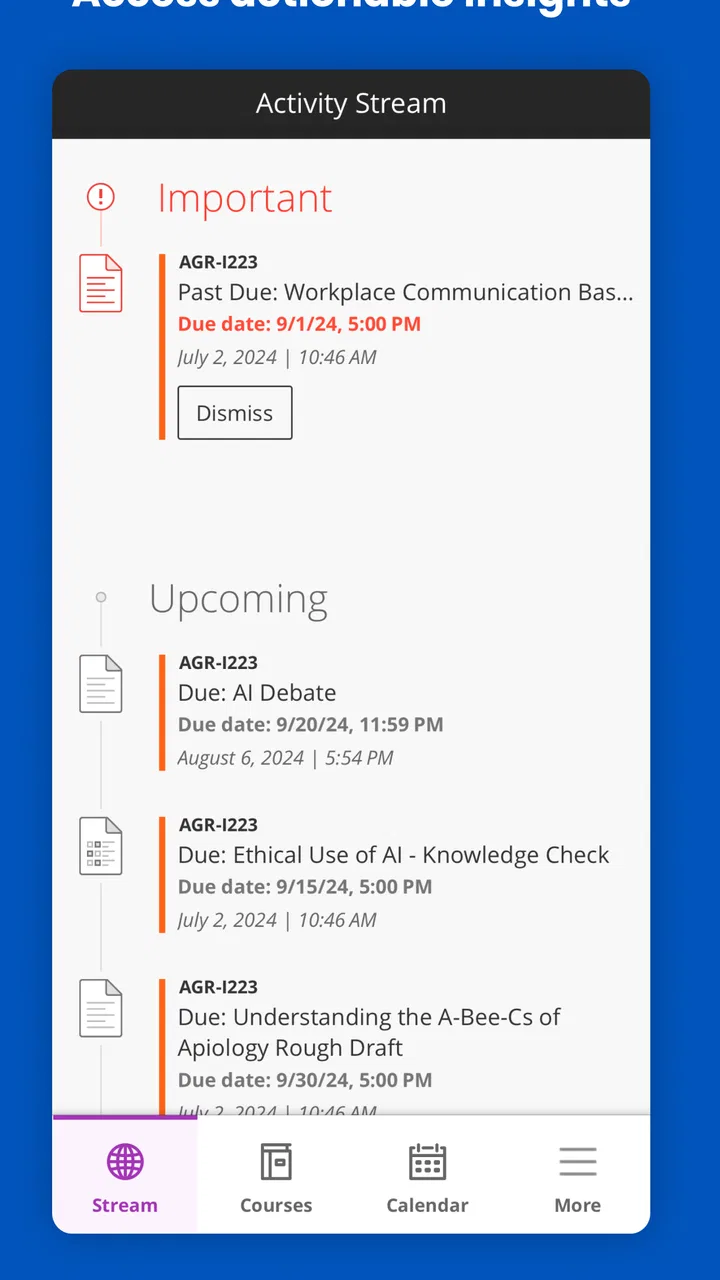
When the setup is working properly, the app gives me a practical mobile view of academic life. I can check course areas, look for new announcements, review available learning materials, and keep an eye on assessment activity without opening a laptop every time. That is especially convenient during a busy day. A quick phone check between appointments can answer the immediate question, “What do I need to know before the next class?”
The app belongs firmly in the education and mobile learning category, but I would describe it as a companion to a school’s online classroom rather than an independent teaching product. That makes it a very different proposition from apps built around language practice, mathematics drills, or video lessons. Those alternatives usually provide the content themselves. Blackboard mainly provides access to the content and course structure supplied through an institution.
Its current version is 11.6.1, and it requires an operating system version of 11 or later. That requirement is worth checking before planning to use it on an older phone or tablet. On a compatible device, the app feels most sensible for quick checks and short interactions. I would still choose a larger screen for detailed reading, drafting, or comparing several course documents at once.
The strongest reason to install it
The strongest case for Blackboard is continuity. A student’s workday rarely happens in one place. I might read an announcement at home, check a deadline while commuting, and confirm a course instruction just before a seminar. Having a mobile route into the same academic environment can remove unnecessary friction. I do not have to remember which email contained a change or wait until I am back at a computer to see whether an instructor posted something important.
A realistic example is a student preparing for a morning class. Before leaving, I open the relevant course and check recent activity. I notice an announcement that changes the reading order, then look at the course material before arriving. Later, I use the phone to confirm the next assessment date. None of those actions is dramatic, but together they make the app useful because they support the small decisions that keep a course on track.
I also like the separation between the personal device and the institution’s broader system. My phone becomes a convenient access point without requiring me to rebuild course information manually in a separate planner. That can be helpful for students who already feel overwhelmed by copying every deadline into several apps. At the same time, I would not rely on Blackboard alone as my only reminder system. A course page can contain the authoritative information, while a separate calendar or task list may still be better for planning the actual week.
That combination suggests a useful workflow. I use Blackboard to verify what the instructor or institution has posted, then transfer only the actions that need personal planning into my preferred calendar or task manager. This avoids a common mistake: treating a course platform as if it were automatically a complete personal productivity system. It is better at showing academic information than at helping me estimate how long each task will take.
Where the mobile format helps—and where it does not
Short reading sessions are one of the better uses. If I need to review an announcement, inspect instructions, or glance over a course item, the phone is convenient. It is also useful when I am away from my desk and need to confirm whether a change has been posted. The smaller screen becomes less comfortable when the material requires sustained concentration, extensive scrolling, or switching repeatedly between instructions and a draft.
This is an important trade-off when comparing Blackboard with the usual alternatives. A dedicated note app is generally better for organizing personal ideas. A calendar is more effective for time blocking. A desktop browser is usually more comfortable for long assignments. Blackboard’s advantage is not that it beats each of those tools at its own job. Its advantage is that it keeps institution-linked course information in one mobile-accessible place.
I would also distinguish it from email. Email can deliver announcements, but it tends to scatter academic information among unrelated messages. Blackboard gives course material a more relevant context, provided the instructor has placed it in the right area. For me, that context is the meaningful improvement: I can check the course itself instead of trying to reconstruct the latest version from a crowded inbox.
Still, the experience can vary noticeably from one course to another. One instructor may keep materials clearly arranged, while another may use a less predictable structure. That is not a flaw that an app update can fully solve. It means new users should spend a little time learning where each course places announcements, documents, and assessment information rather than assuming every class will look identical.
Small habits that make the app more useful
My first practical tip is to check the course space before relying on a message preview or a remembered deadline. Academic instructions often include context, attachments, or changes that are easy to miss in a brief notification. The app is most valuable when I use it as the place to verify the full instruction, not merely as a source of alerts.
My second tip is to create a simple weekly review routine. Once or twice a week, I look through each active course, note new activity, and identify anything that needs a separate action. This works better than opening the app only when I suspect something is wrong. It turns Blackboard into a regular checkpoint and reduces the chance that one quiet course disappears from my attention.
A third useful habit is to separate “information found” from “work scheduled.” After reading a course update, I record the actual task, estimated effort, and personal deadline elsewhere. For example, an instruction to read several chapters is not yet a workable plan. I might divide that reading across two evenings and add a reminder before the class. Blackboard supplies the source information; my planning tool supplies the structure.
There is also a worthwhile trade-off for students who use several devices. The phone is excellent for access while away from a desk, but a computer remains the better choice for composing substantial responses or managing complicated course work. Trying to force every academic task onto the phone can make study slower, not faster. I see the mobile app as a flexible second doorway, not as a reason to abandon the main web experience.
The meaningful weakness: the app cannot fix course inconsistency
The biggest limitation is dependence on institutional setup. If a course is incomplete, confusing, or rarely updated, the mobile experience inherits that problem. A polished interface cannot tell me which of several similarly named files is the intended one, and it cannot compensate when important information is spread across unrelated areas. This is the central weakness I would explain to anyone expecting the app itself to organize an entire semester.
That dependence can also make the first experience feel uneven. A new user may open the app expecting a clear dashboard of priorities, only to find that the quality of the overview depends on what the institution and instructors have published. Some students will find exactly what they need. Others may still need email, a browser, or direct contact with an instructor to resolve uncertainty.
The mobile screen introduces another kind of friction. Even when information is available, reading complex material on a phone can be tiring. Long pages, dense instructions, and documents designed for a larger display are not ideal for quick mobile study. I would avoid making the app my main reading environment for demanding courses, particularly when I need to annotate, compare sources, or write at length.
There is also a psychological limitation. Easy access can encourage repeated checking without improving preparation. I have found that opening a course page several times is not the same as completing the work. The app helps with awareness, but students still need a separate method for prioritizing tasks and protecting focused study time. That distinction keeps expectations realistic.
Who should use Blackboard?
Blackboard is a strong fit for students whose school already relies on it for course communication and materials. It is particularly useful for people who move between locations, prefer checking information on a phone, or want a quick way to review academic activity without carrying a laptop everywhere. It can also suit instructors and learners who need a mobile extension of an established online classroom rather than another independent study service.
It is less suitable as a standalone learning app for someone who simply wants lessons without institutional enrollment. It is also not my first recommendation for a person seeking a personal planner, a revision system, or a focused skill-building tool. In those cases, a dedicated calendar, note-taking app, flashcard service, or course provider may be a better match.
Before installing, I would ask one practical question: does my institution actually use Blackboard as an active part of my courses? If the answer is yes, the app can be worthwhile even if I use it for only a few minutes at a time. If the answer is no, there is little reason to choose it over tools designed for independent learning. The app’s value comes from connection to a live academic environment, not from generic educational content.
New users may also wonder whether it costs anything. Blackboard is free, so there is no purchase decision to make when trying it. The more important consideration is access through the relevant institution and whether the phone meets the operating-system requirement. I would check those practical points first, because they determine whether the app becomes useful in daily life.
For families and younger learners, the Everyone content rating makes the app broadly approachable from an age-classification perspective. That does not mean every course will be designed for every learner; the academic level and material still depend on the institution. In other words, the rating describes the app’s general suitability, while the actual learning experience is shaped by the courses inside it.
How its reputation affects my expectations
Blackboard has a 3.3 average from around 104 thousand ratings, alongside roughly 11 thousand written reviews. I read that as a sign of a widely used app with a mixed experience rather than a universally smooth one. Its reach is substantial, with over 10 million installs, so the app clearly serves a large audience. Those figures do not change my personal assessment, but they do reinforce the need to judge it in context: one student’s experience may reflect an excellent course setup, while another’s may reflect confusing institutional organization.
That mixed reputation makes sense to me. A mobile learning app is judged not only by buttons and screens but also by logins, course configuration, instructor habits, and the quality of uploaded material. When those pieces align, Blackboard feels practical. When they do not, users may blame the app for a problem that actually begins in the course design. I would therefore treat reviews as useful signals, but I would place more weight on whether my own school supports the platform well.
My final recommendation
After using Blackboard as a mobile access point for academic work, I see it as a useful but situational app. Its best quality is convenience: it brings course-related information closer to me when I am away from a computer and helps me maintain awareness of announcements, materials, and deadlines. Its greatest weakness is that it cannot create consistency where a course or institution has not provided it.
I would recommend installing it when your school actively uses Blackboard and you want a practical way to check courses throughout the day. I would not recommend treating it as your only planner, your main long-form writing environment, or a substitute for a dedicated independent-learning app. The best results come from pairing it with a calendar and a focused study method.
In short, Blackboard earns a place on my phone when it is the doorway to a real course I am taking. It is free, accessible to a broad audience, and useful for quick academic decisions, but its success depends heavily on the learning environment behind it. If that environment is organized, the app can make student life noticeably easier. If it is not, a different tool may help with planning or studying, but no mobile interface alone will solve the underlying problem.
For students already enrolled in Blackboard-based courses, I think it is worth trying and evaluating during the first week. Check how clearly your courses are arranged, whether important updates appear where you expect them, and whether the phone format suits your routine. If those answers are favorable, it can become a genuinely helpful everyday companion. If not, keep it for official course access while relying on better-suited tools for planning, notes, and deep study.
FAQs for Blackboard
01What is Blackboard used for?
Blackboard is a learning management system used by schools, colleges, universities, and other educational organizations. After signing in with an institution-provided account, students can view course materials, read announcements, submit assignments, complete tests, participate in discussions, check grades, and communicate with instructors. The exact tools available depend on how each institution configures its Blackboard courses.
02Can I use the Blackboard app without a school account?
In most cases, you cannot use Blackboard meaningfully without an account connected to a participating school or organization. Your institution normally provides the Blackboard website address, login details, and access permissions. Some schools use single sign-on, while others require a separate username and password. If you are unsure which server to select or how to log in, contact your institution’s IT department or instructor.
03Does Blackboard work on both Android and iPhone?
Yes, the Blackboard app is generally available for Android and iOS devices, allowing students to access courses from a phone or tablet. However, supported operating-system versions and certain features can change over time. The mobile app is convenient for checking announcements, viewing content, submitting compatible files, and receiving notifications, but some advanced course activities may still work better through Blackboard in a desktop web browser.
04Can I submit assignments and take tests through Blackboard?
Blackboard may allow you to submit assignments, upload documents, answer quizzes, and complete tests directly from the app, depending on the course setup. Before submitting important work, check the file format, size limit, deadline, and confirmation message. Some assessments use tools that require a browser, webcam, monitoring software, or other permissions, so the app may not support every exam-related function.
05Why am I not receiving Blackboard notifications?
Blackboard notifications can depend on both the app’s settings and your institution’s course configuration. First, make sure notifications are enabled inside the app and in your phone’s system settings, then confirm that you are signed in to the correct account. Poor connectivity, outdated software, disabled background activity, or instructors not publishing an announcement can also prevent alerts from appearing immediately.
Pros
- Clear course organization for assignments
- grades
- announcements
- and materials.
- Supports video
- audio
- documents
- discussions
- and other learning content.
- Push notifications help students keep track of deadlines and updates.
- Useful accessibility tools support learners with different needs.
- Works across phones
- tablets
- and web browsers for flexible access.
Cons
- Some features depend on how each school configures its Blackboard system.
- The interface can feel crowded when courses contain many sections and tools.
- Large video files and course materials may use significant mobile data.
- Notifications can become excessive if several courses are active.
- Performance may vary on older devices or with unstable internet connections.

Blackboard
Gallery